
Where and how an access point (AP) is hung is a simple process that requires planning and logical decision making based on a handful of factors, including the surface material, the mounting type of the access point, and the neighboring entities. Using a combination of proper mounting equipment and precise placement allows for an access point to perform to the best of its ability.

An intrusion detection system (IDS) monitors network devices in order to grant security administrators the ability to identify attacks in progress and take appropriate action to protect a network. In order for users on a network to access a web server on the internet, the firewall must allow traffic through port 80. However, this open port is often used as an attack vector for hackers and malware to gain access to your network. An IDS examines this traffic and compares it with known exploits; similar to how antivirus software uses known virus signatures to identify threats. When the intrusion system detects a match to a known exploit, it sends an alert to the security or web server administrator so they can take action. Intrusion prevention systems (IPS) are very similar to IDSs, but as opposed to just sending an alert, these systems go one step further and automatically take action to prevent an intrusion.

“If it is online, it can be hacked!” This phrase has served as the motivation for both hackers and security professionals for years. Every network has its weaknesses and vulnerabilities that hackers can exploit to gain access to your network. The only way to completely avoid a potential attacker is to pull the network cable. However, depending on the circumstances, doing this could actually create the exact denial of service result the attacker intended.
It is important to understand that a wireless network isn’t wireless at all. There are cables, access points, and various other pieces of hardware that need to be installed when implementing a wireless network. With any installation, there are specific tools that are required to get the job done. While a WiFi project might require some specific tools depending on the building’s materials, size, and network needs, we have compiled a list of the basic tools and materials needed for a WiFi installation kit.

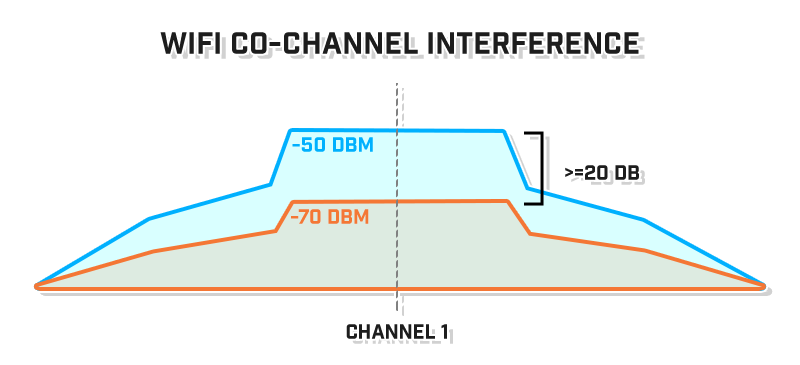
A personal WiFi router is generally used for residential purposes. They are directly connected to a modem that is provided to you by your Internet Service Provider (ISP) and are capable of propagating wireless signal throughout a home.

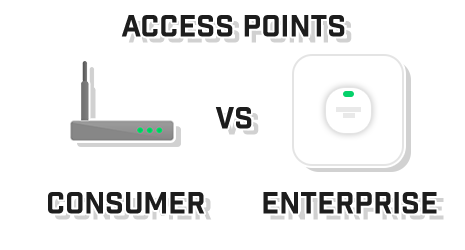
WiFi signal at 20 MHz has a very distinct shape. This shape leads to overlap on other WiFi channels that can be used for setting up access points (AP). Unlike 2.4 GHz channels, all 25 of the available 5 GHz channels are non-overlapping at 20 MHz wide.
Download our Best WiFi Channel Quick Guide
For best practices, it is highly recommended to choose different 5 GHz 20 MHz channels:
The demand for wireless connectivity is ever increasing as wireless technology has become a staple in almost every device used in frequently trafficked buildings, from single-family homes to commercial airports. The number of devices connected to WiFi increases exponentially depending on the intended purpose of the wireless deployment.
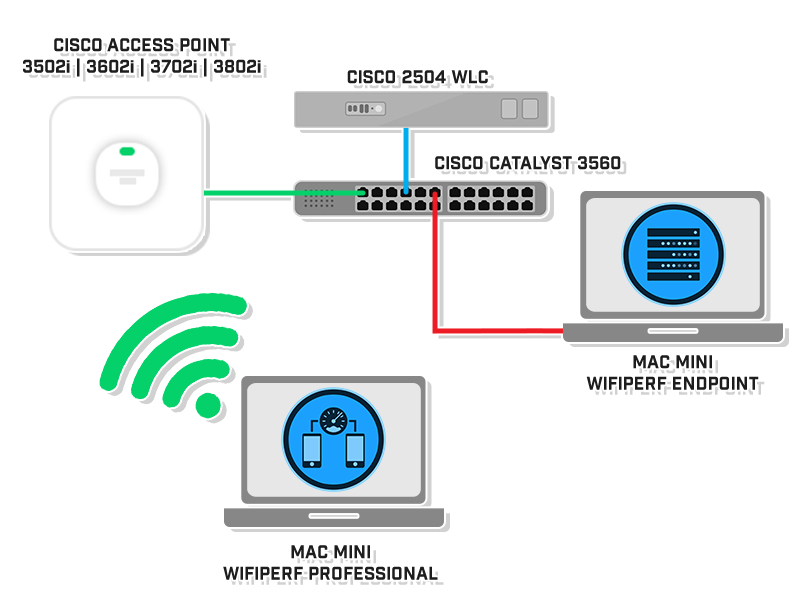
WiFiPerf Professional is a bandwidth performance measurement app for Mac OS that operates as a testing client when connected to different testing servers. The app is used to test Mac OS, iOS, Windows, and Android that run either iPerf2/iPerf3 (server mode) or WiFiPerf EndPoint.

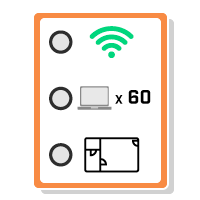
Upgrading the WiFi in a large space is a big project. Upgrading the WiFi on a university’s campus is a huge project. With numerous academic and residential buildings, stadiums, and even outdoor areas, it is imperative to plan the project accordingly so as to not disrupt business, learning, and living conditions. A complete WiFi upgrade is not a simple task. It takes planning and patience. There are three main phases of a campus WiFi upgrade: design, installation, and testing.