

WiFi as a Service (WaaS), or managed WiFi, can be priced many different ways. Before getting into pricing models, it helps to review the cost elements of any project. All WiFi projects have four cost elements: labor, materials, other direct costs (ODC), and travel.
Blog Team

Recent Posts
With it’s simple yet immense utility, BridgeChecker software allows organizations a robust and easy to deploy endpoint security solution. Whether your organization is based in one office, multiple locations, or in-house plus a remote workforce, our software gives your already overwhelmed IT staff and not so tech savvy or perhaps even forgetful/extremely busy and on the go end users a much more relaxed and serene mindset knowing their desktop, laptop, etc. is running BridgeChecker.

A WiFi project begins with finding a consultant to help with the initial design process. The first meeting can be a phone call or an email, and it is used to obtain a better understanding of the requirements and constraints of a project. In order for the meeting to be as effective as possible, think about the following things before contacting your WiFi consultant.
Use a WiFi design checklist to help you prepare for building, restoring, or updating a wireless network.
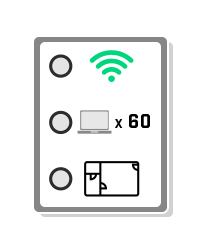
Implementing a new wireless network takes a lot of planning (WiFi Design Guide). In order to complete the network design phase, the following factors should be taken into consideration and thoroughly planned out.
- Size of Physical Location
- Intended Use of the Wireless Network
- Number of Wireless Devices
- Wireless Client Device Capabilities
- The Environment
- Performance Expectations
- Bring Your Own Device (BYOD) Acceptance
- Building Age and Construction Materials
- Network Infrastructure Devices

Below is a list of the basic hardware required for a business class WiFi network. Typically, these networks require management of many access points. This requires specialized equipment for management and security beyond what is needed in a typical residential/home network.
For more information about what is required for a wireless network, check out our WiFi Design Guide.

Rogue Access Points (APs) can be set up innocently or with malicious intent. They can cause interference with your WiFi network, present vulnerabilities to security, and have devices on your network connect to it instead. Whether it's a part of WiFi Health Checks or security analysis and monitoring, it's always a good idea to know how to physically locate these rogue Access Points.
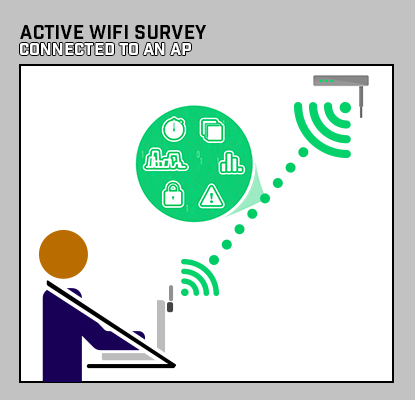
Active WiFi Survey
An active WiFi survey is when a surveying device is connected to the WiFi network and records signal measurements based on the performance of the connection. Active surveys are used to troubleshoot WiFi networks. This type of survey also allows for various other metrics to be measured, such as ping round-trip-time (RTT), throughput using iPerf/iPerf2/iPerf3, and Internet upload/downloads.
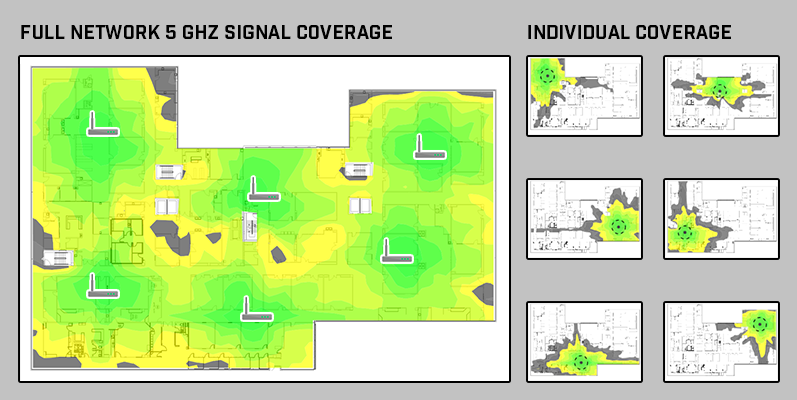
Vital signs are measurements of the body's most basic functions. When a body is not performing well, vital signs, such as body temperature, pulse rate, respiration rate, and blood pressure, are used to monitor and detect potential medical problems.
Similarly, if your WiFi network is not performing well, the following “vital signs” can be checked to determine the health of a WiFi network.
- Signal Coverage
- Signal-to-Noise Ratio
- Channel Overlap
- Rogues and Interferers
- Access Point Placement Optimization


Back in the late 1990s we called outsourced management of customer owned or leased equipment a managed network service (MNS). The scope of these MNS projects could range from just remote management and monitoring of routers to full turnkey design, installation, and management of all IT assets (routers, switches, servers, firewalls, etc.).

A typical WiFi deployment project plan can be divided into four stages: requirements gathering, WiFi site design, configuration & installation, and service turn up & acceptance.