A rogue access point is any wireless AP operating on your network — or in your airspace — that hasn't been authorized by your IT team. Rogue APs are one of the most common WiFi security vulnerabilities, and they're hiding in more enterprise environments than most IT managers realize. Here's how to find them and what to do about them.
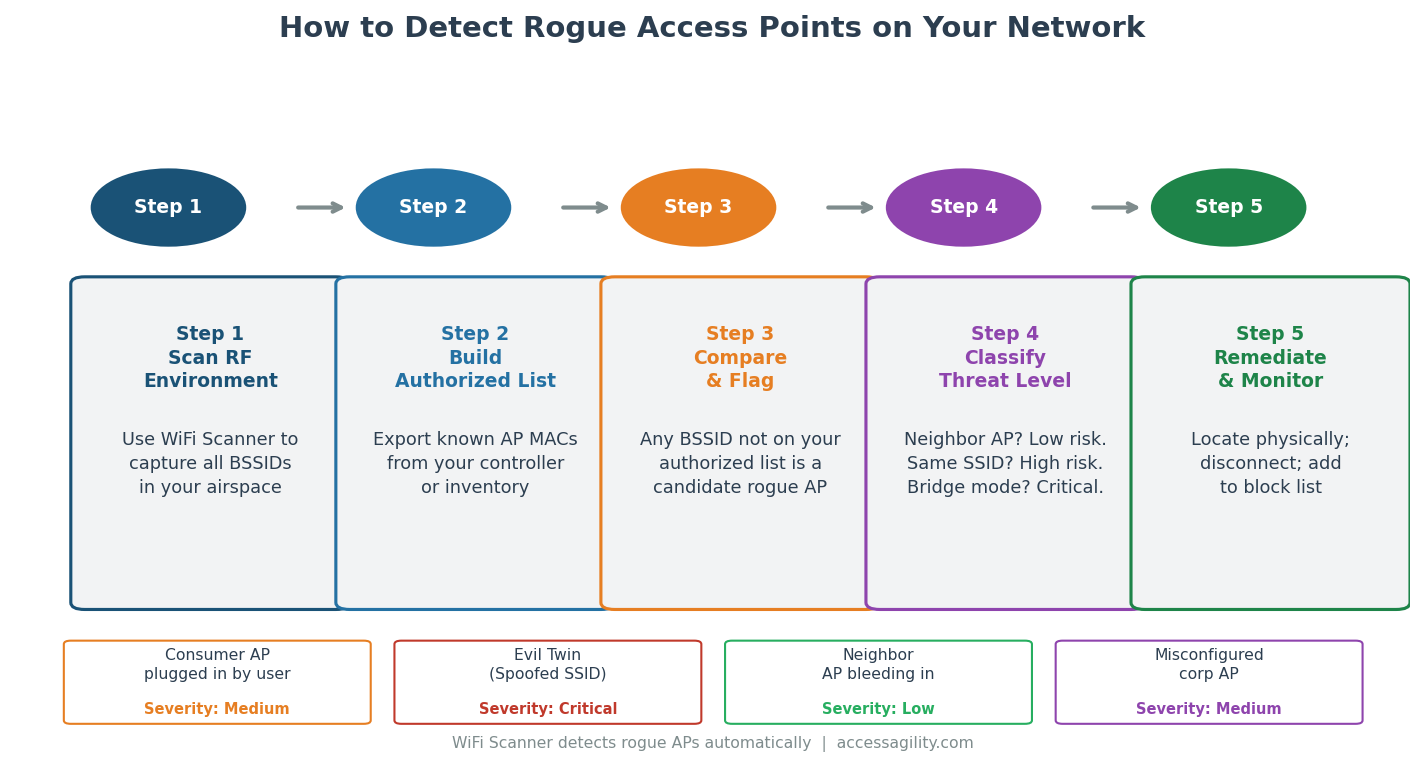
Detection, classification, and remediation are three distinct steps. Skipping the classification step leads to wasted time investigating legitimate neighbor APs.
What Counts as a Rogue Access Point?
The definition is broader than most IT teams assume. A rogue AP is any device transmitting a WiFi signal that hasn't been explicitly authorized by your network security policy. This includes: consumer APs plugged into wired network ports by employees (the most common type); misconfigured corporate APs broadcasting on non-standard channels or SSIDs; APs installed by other departments without IT involvement; and "evil twin" APs broadcasting an SSID that matches your corporate network to intercept traffic.
Not all unauthorized APs are malicious — but all of them are a potential security and performance issue that deserves attention.
Why Rogue APs Are a Security Problem
A consumer AP plugged into your corporate network by a well-meaning employee bypasses your 802.1X authentication, creating an open bridge between your secured wired network and anyone within WiFi range. Even if the employee's home router uses WPA2-PSK, the password is trivially guessable compared to your corporate authentication infrastructure.
An evil twin AP — broadcasting the same SSID as your corporate network — can intercept credentials, session tokens, and unencrypted traffic from any device that connects to it. These attacks are more common in enterprise environments than security teams acknowledge.
Why Rogue APs Are a Performance Problem
Unauthorized APs broadcast on channels that your channel plan didn't account for, creating co-channel interference with your legitimate APs. A single consumer AP in an employee's office, transmitting at full power on channel 6, can significantly degrade 2.4 GHz performance for an entire floor.
How to Detect Rogue Access Points
Step 1 — RF Scan: Use WiFi Scanner to capture all BSSIDs (unique AP identifiers) visible in your facility. A comprehensive passive scan covers all three frequency bands (2.4, 5, and 6 GHz) and captures every device broadcasting a beacon frame.
Step 2 — Build Your Authorized AP List: Export the MAC addresses of all authorized APs from your wireless controller or network inventory. This is your "known good" list.
Step 3 — Compare and Flag: Any BSSID in the scan results that doesn't appear on your authorized list is a candidate rogue AP. This doesn't mean all of them are actually rogue — neighboring businesses' APs will appear in your scan and are not a threat on your network.
Step 4 — Classify Threat Level: For each flagged BSSID, determine whether it's a neighbor AP (low risk — it's not on your wired network), a consumer AP connected to your network (medium risk — security bypass), or an evil twin (critical — active attack). Check whether the device's MAC address appears on your network's DHCP log to determine if it's wired.
Step 5 — Remediate: Physically locate consumer APs (use RSSI directional scanning to pinpoint their location), disconnect them from the wired network, and document the incident. For evil twins, isolate the device and escalate to your security team.
How Often Should You Scan for Rogue APs?
At minimum, conduct a full rogue AP scan quarterly. In high-security environments (government facilities, financial services, healthcare), monthly or continuous scanning is appropriate. Optifi continuous monitoring provides ongoing rogue AP alerting without requiring manual survey walkthroughs.
AccessAgility's professional survey services include rogue AP detection as a standard component of every engagement.
Ready to optimize your enterprise WiFi?
AccessAgility provides professional WiFi design, site surveys, and continuous monitoring tools trusted by enterprises and government agencies nationwide.
Get a Free WiFi Assessment ›