The most expensive WiFi deployment mistake isn't the wrong AP model or a bad channel plan — it's skipping the post-deployment validation survey. Every WiFi installation should be formally validated before it goes into production. Here's exactly how to run a post-deployment WiFi validation survey and what it needs to cover.
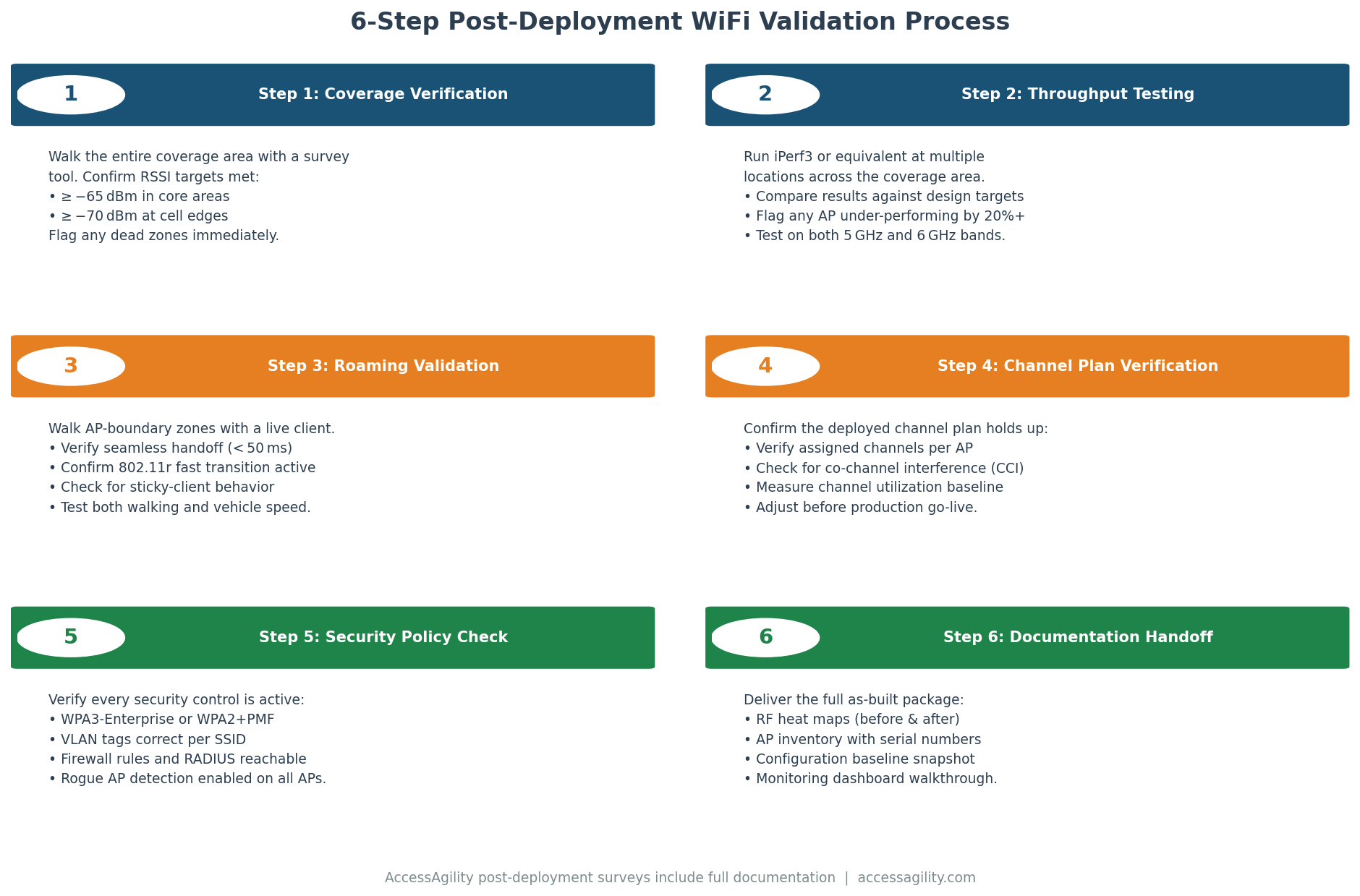
Why Post-Deployment Validation Is Not Optional
A predictive RF design tells you where coverage should be. An installation places hardware roughly according to that design. A post-deployment survey confirms coverage actually is where it needs to be. These are three different questions, and only the third one tells you what users will actually experience.
Common discrepancies that post-deployment surveys regularly reveal: APs installed in the wrong location (off-center from specified position, on a different wall than planned); cable length limitations that moved an AP 10 feet from its designed position; building construction materials that attenuate signal more than the predictive model assumed; new interference sources that weren't present during the pre-deployment assessment; and APs incorrectly configured (wrong channel, wrong transmit power, wrong SSID settings).
Step 1: Obtain the Original Design Documentation
Before the survey, collect the predictive RF design report, the AP location diagram, the intended channel plan, and the specified RSSI/SNR minimum thresholds. The validation survey compares actual results against these specifications — without the original design, you have no baseline to validate against.
Step 2: Verify AP Configuration Before the RF Walk
Before walking the floor with scanning equipment, access your wireless controller or AP management platform and verify that every AP is: online, on its assigned channel, transmitting at the specified power level, broadcasting the correct SSIDs, and running the specified firmware version. Configuration errors that are fixed before the RF walk save significant time by avoiding mystery discrepancies between expected and actual coverage.
Step 3: Passive Survey (Coverage Validation)
Using WiFi Scanner, walk every area of the deployment with the same systematic grid pattern used during the original predictive design walkthrough. Capture RSSI, SNR, and channel utilization data at the survey points specified in the original design. Generate heatmaps for each metric and compare against the predictive design's expected coverage maps.
Document any location where actual RSSI is more than 10 dB below the predicted value, or where SNR falls below the specified minimum threshold. These locations are your remediation candidates.
Step 4: Active Survey (Performance Validation)
Connect a test client device to each SSID and run throughput tests at the critical locations identified in the design — conference rooms, high-density areas, coverage edge locations, and any area where the passive survey showed marginal performance. Record upload and download throughput, latency, and packet loss.
Compare measured throughput against the design's minimum throughput targets. Document any location that fails to meet specification for active remediation.
Step 5: Roaming Validation
Walk a continuous path from one end of the deployment to the other while running an active throughput test. Record the sequence of APs associated with throughout the walk, the roaming events (brief throughput dips during handoff), and the time required for each roaming transition. Roaming events longer than 100ms at any point on the walk indicate that RSSI overlap zones between APs are too small or that fast roaming protocols (802.11r) are not properly configured.
Step 6: Document and Report
The post-deployment validation report is a permanent record of the network's baseline performance. It should include: heatmaps showing actual vs. predicted coverage, a list of pass/fail locations against specification, active throughput measurements at key locations, roaming walk data, and — where applicable — a remediation plan for locations that failed validation thresholds.
AccessAgility's post-deployment validation services produce formal deliverables suitable for project closeout documentation, SLA verification, and government facility sign-off requirements.
Need expert WiFi design, tools, or government WiFi procurement?
AccessAgility provides professional WiFi surveys, RF design, monitoring tools, and SEWP-contracted WiFi services for enterprise and government environments.
Get a Free WiFi Assessment ›