Access point placement decisions are permanent once the cable is run and the ceiling tile is closed. A poorly placed AP network can underperform for years before anyone connects the symptoms to the root cause. These are the seven AP placement mistakes that cost enterprises the most — in performance, in remediation time, and in hardware dollars wasted.
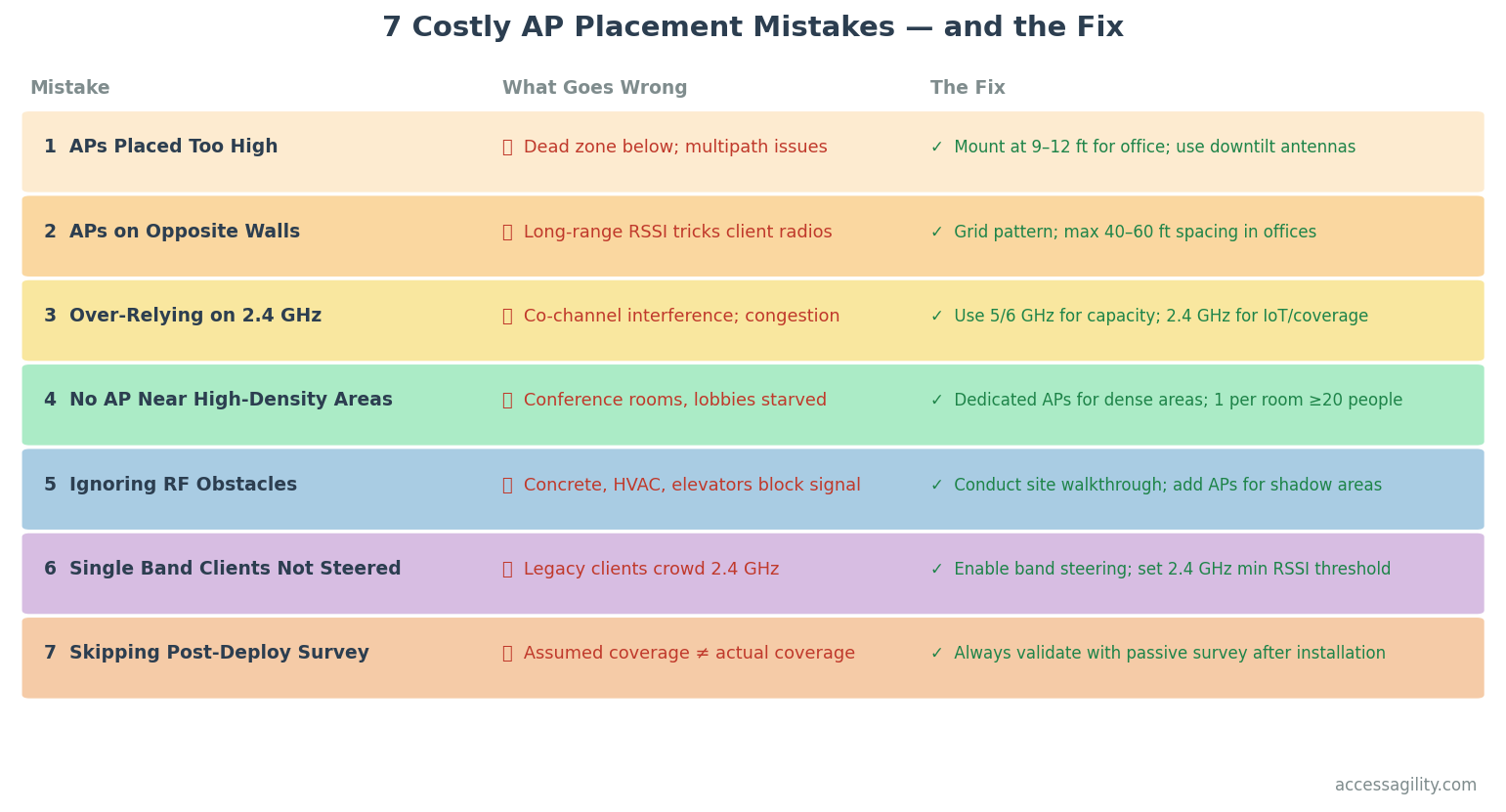
Most AP placement mistakes are preventable with a proper site survey and RF design before installation.
Mistake 1: Mounting APs Too High
The instinct to mount APs as high as possible — at the ceiling peak, above ceiling tiles in the plenum — maximizes coverage area but creates a dead zone directly beneath the AP where signal is weakest. It also increases multipath effects from reflections off the floor.
The fix: Mount APs at 9–12 feet for standard office environments. For high-bay warehouses, use directional antennas with appropriate down-tilt to manage coverage patterns.
Mistake 2: Placing APs on Opposing Walls
Putting APs on opposite sides of a large open space and relying on their signals to meet in the middle creates a coverage model that looks good on paper but performs poorly in practice. Devices in the middle of the room associate with the nearest AP — often one they can see clearly but that is far away — while nearby APs remain underutilized.
The fix: Use a grid pattern with APs spaced 40–60 feet apart in open office environments. This ensures every device has at least two strong candidate APs and enables proper roaming behavior.
Mistake 3: Over-Relying on 2.4 GHz for Coverage
The 2.4 GHz band has better range than 5 GHz or 6 GHz — and for coverage-only thinking, that sounds like an advantage. But 2.4 GHz has only three non-overlapping channels (1, 6, 11), which become hopelessly congested in any medium-to-large deployment. Modern devices that are capable of 5/6 GHz should never be forced onto 2.4 GHz for coverage reasons.
The fix: Design for coverage and capacity on 5/6 GHz. Use 2.4 GHz primarily for legacy IoT devices that don't support higher bands. Set minimum RSSI thresholds on 5 GHz SSIDs to prevent capable devices from falling back to 2.4 GHz.
Mistake 4: Not Placing APs Near High-Density Areas
Conference rooms, training rooms, and auditoriums have the highest concurrent device counts per square foot in any facility — yet they're often served by a corridor AP that's doing double duty for hallway coverage. The result is a conference room with a strong signal indicator and terrible actual performance the moment eight people join a video call simultaneously.
The fix: Deploy a dedicated AP inside every conference room with more than 20 seats. For larger auditoriums and training spaces, use a coverage-per-user calculation rather than a coverage-per-area calculation to determine AP count.
Mistake 5: Ignoring RF Obstacles
Reinforced concrete, metal shelving, HVAC equipment, elevator shafts, and even dense filing cabinets all attenuate WiFi signals far more than office walls. Deployments that don't account for these obstacles create coverage shadows — areas with adequate signal on the floor plan that have poor real-world coverage.
The fix: Conduct a physical walkthrough of the facility before finalizing AP placements. Use WiFi Scanner to measure actual signal strength in suspected shadow areas before closing up any ceilings.
Mistake 6: Skipping Band Steering Configuration
Modern APs broadcast the same SSID on 2.4 GHz, 5 GHz, and 6 GHz simultaneously — but without properly configured band steering, capable devices will often associate with 2.4 GHz because it has a marginally stronger received signal. This means your expensive WiFi 6E APs are operating as glorified 802.11n devices for much of your fleet.
The fix: Enable band steering on all APs. Set the 2.4 GHz minimum RSSI threshold to -70 dBm or higher to aggressively steer capable devices to 5/6 GHz. Validate with a WiFi scan showing which SSIDs clients are actually associating with.
Mistake 7: Skipping the Post-Deployment Survey
This is the most expensive mistake on the list — not because it's the costliest in the moment, but because it lets all the other mistakes persist undetected. A post-deployment validation survey catches every issue on this list and produces a documented baseline for the network's expected performance.
The fix: Always commission a post-deployment passive and active survey before the network goes into production. AccessAgility's validation survey services provide the documented sign-off your network deserves.
Ready to get the right WiFi site survey for your facility?
AccessAgility provides professional predictive design, passive/active site surveys, and post-deployment validation for enterprise and government environments.
Get a Free WiFi Assessment ›